
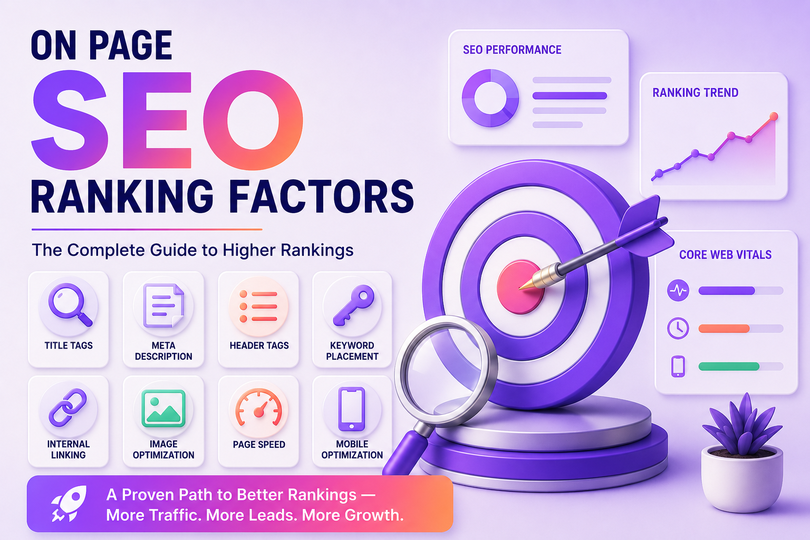
When I started optimizing pages for tarundigital.com, I noticed something most beginners miss: on-page SEO isn’t one big thing, it’s a dozen small things done consistently. A perfect title tag won’t save a page with thin content, and great content won’t rank if your headers are a mess. It’s the sum of the parts that moves the needle, not any single trick.
That’s what this guide is really about — not just listing the factors, but showing you how they work together, based on what I’ve actually tested on my own pages and with the businesses I’ve worked with.
What Is On Page SEO?
On page SEO is the practice of optimizing individual web pages — their content, structure, and HTML elements — so both search engines and readers understand what the page is about and find it genuinely useful. Unlike off-page SEO (backlinks, mentions, social signals) or technical SEO (site speed, crawlability, indexing), on page SEO is entirely within your control. You don’t need anyone else’s cooperation to fix a weak title tag or restructure a page’s headers.
On Page vs Off Page vs Technical SEO
These three get confused constantly, so here’s the simple breakdown:
| On Page SEO | Off Page SEO | Technical SEO | |
|---|---|---|---|
| Focus | Content and HTML elements on the page itself | Signals from outside your own site | How well search engines crawl and render your site |
| Examples | Title tags, headers, keyword placement, internal links, images | Backlinks, brand mentions, social shares | Site speed, mobile-friendliness, indexing, site architecture |
| Who controls it | You, directly | Partly outside your control | You, but often needs technical/developer input |
| What it fixes | Relevance and clarity of a page | Authority and trust signals | Crawlability and accessibility |
I’ve seen this play out directly. Early on, one of my own blog posts had genuinely solid on-page work — good structure, clear headers, proper keyword placement — but it barely moved for weeks. The real issue turned out to be crawl budget and indexing, a technical SEO problem, not an on-page one. On page SEO gives search engines a page worth ranking; technical SEO makes sure they can actually find and read it in the first place.
Core On Page Ranking Factors
What should be in a title tag?
Your title tag is the first thing both users and Google see, so it needs to do two jobs: match search intent and earn a click. Keep your primary keyword near the front, keep it under roughly 60 characters so it doesn’t get cut off in search results, and avoid stuffing it with multiple keyword variations — one clear, specific title beats three vague ones.
How should a meta description be written?
Meta descriptions don’t directly affect rankings, but they directly affect click-through rate, which does influence performance over time. Write it like an honest one-line pitch for what’s inside the page — specific enough that it doesn’t sound interchangeable with ten other results.
Your H1, H2, and H3 tags aren’t just formatting — they’re a roadmap for both readers and search engines. Use one H1 per page, keep your H2s as the real sections of your argument, and don’t skip levels (jumping from H2 straight to H4 confuses the document structure). Increasingly, headers phrased as actual questions — the way people type into Google or ask an AI tool — tend to perform better, since they mirror real search behavior more closely than generic labels.
Where should keywords be placed?
Keyword placement matters, but not in the old “stuff it everywhere” sense. Get your primary keyword into the title, the first 100 words, at least one header, and the URL. Beyond that, focus on semantic and related terms — words and phrases naturally connected to your topic. Google’s understanding of language is good enough now that exact-match repetition matters far less than genuine topical coverage.
Does URL structure affect rankings?
Short, readable, keyword-relevant URLs help both users and search engines understand a page before they even click it. Avoid long strings of numbers or unrelated parameters — a clean URL is a small thing that adds up across a whole site.
How important is internal linking?
This is one of the most underused levers in on page SEO. Every internal link is a vote of relevance from one of your own pages to another, and it helps distribute authority across your site. When I link a newer post back to an older, more established one on tarundigital.com, I’ll often see the newer page start getting indexed and gaining impressions faster than posts that were left as orphaned pages with no internal links pointing to them.
What’s the right way to optimize images?
Compress images before uploading — I run mine through a simple resize-and-compress process before every post goes live, since large, unoptimized images are still one of the most common page-speed killers I see on small business sites. Beyond file size, write descriptive alt text that actually describes the image, not just a stuffed keyword phrase.
What does content depth actually mean?
Depth doesn’t mean word count for its own sake. It means genuinely answering the questions someone with that search intent actually has, including the follow-up questions they haven’t typed yet. A page that answers the core question plus three related ones will usually outperform a longer page that only circles the same point repeatedly.
How much does page speed matter?
Page speed and Core Web Vitals affect both rankings and user behavior — a slow page loses visitors before they even see your content, regardless of how good it is.
Is mobile optimization still necessary in 2026?
Yes, more than ever. Google indexes and ranks based on the mobile version of your page by default, and most real traffic for local and small business searches comes from mobile devices. If a page looks great on desktop but breaks on a phone, that’s the version that actually matters for ranking.
On Page SEO for AI Search and AI Overviews
This is the part most on-page SEO guides still gloss over, and it’s becoming one of the most important shifts in how content gets found. A growing share of people are getting their answers directly from AI Overviews, ChatGPT, and similar tools, without ever clicking through to a website. If your content isn’t structured for those systems to pull from, you’re invisible in that layer of search entirely, no matter how well you rank traditionally.
If you’re new to this shift, it helps to understand what is AI SEO before applying these principles.
A few things I’ve found actually matter here:
- Answer the question immediately. Put a clear, self-contained answer in the first sentence or two under each heading, before you elaborate. AI tools tend to lift that first clear statement as the citable answer.
- Make each section stand on its own. AI systems often extract a single section, not the whole page, so every heading and the text beneath it should fully answer its own question without depending on the rest of the article.
- Use specific numbers and real examples over vague claims. Specificity reads as more trustworthy and citable, both to readers and to the systems summarizing content.
- Keep your structured data clean. FAQ schema and proper article markup help these systems parse your page’s structure accurately, rather than guessing at it.
- Avoid burying key information in images or scripts. If it’s not in clean, readable text, an AI crawler may never pick it up.
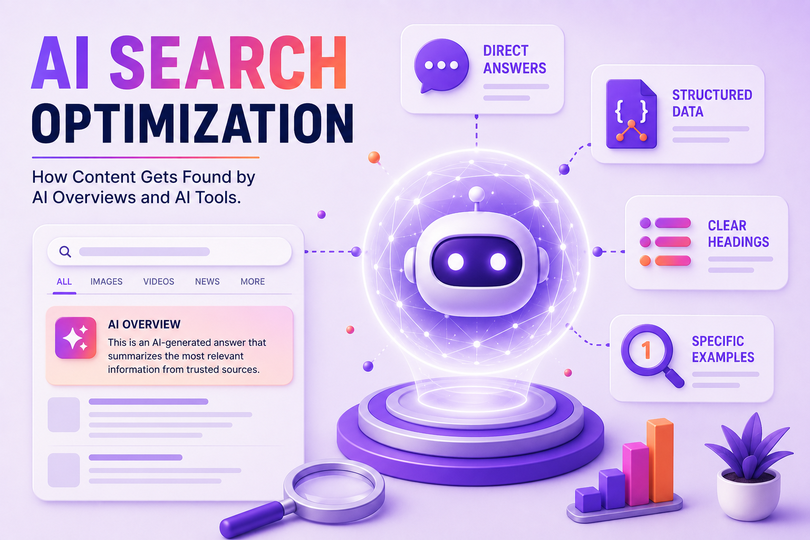
I’ve started applying this on tarundigital.com’s own posts, and the pattern seems to hold — pages built with clear, question-based headers and direct answers tend to get picked up faster in both traditional and AI-driven search than pages written as one long, unstructured block of text.
Common On Page SEO Mistakes You’ll Actually See
A few mistakes I run into constantly when auditing sites, including my own early posts:
- Keyword stuffing in the title or first paragraph — it reads unnaturally and can actually hurt rankings rather than help them
- Multiple H1 tags on one page — confuses the page’s topical focus
- No internal links to older, relevant content — wastes authority that could be flowing between related pages
- Thin content that answers only the surface question — leaves an obvious content gap for a competitor to fill
- Unoptimized images slowing the whole page down — often the single biggest, easiest fix available
- Meta descriptions left blank — a missed click-through opportunity for almost no effort
What Tools Help With On Page SEO?
- Google Search Console — free, shows indexing status and real impression/click data (ties back to your crawl-budget point earlier)
- Rank Math / Yoast (WordPress users) — on-page optimization scoring, schema, meta fields
- Google PageSpeed Insights — checks Core Web Vitals and load speed
- Screaming Frog — site-wide audit for header structure, missing meta descriptions, broken internal links
- Ahrefs / Semrush — paid tools, but strong for keyword research and content gap analysis if you’re ready to invest in one.
If you want to go deeper into AI-specific tools for search, that’s covered separately in AI SEO tools.
On Page SEO Checklist
- Primary keyword in the title, URL, and first 100 words
- One clear H1, logical H2/H3 structure underneath
- Meta description written to earn a click, not just describe
- Semantic and related keywords covered naturally
- Internal links to and from relevant existing pages
- Images compressed and given descriptive alt text
- Content answers the core question plus realistic follow-ups
- Page speed and mobile experience checked
- Each section written to stand alone for AI search visibility
- FAQ schema added where relevant
Frequently Asked Questions
Is on page SEO still important in 2026? Yes — if anything, it matters more, since it’s now the foundation both traditional search rankings and AI-driven search results are built on. Without solid on-page fundamentals, neither system has enough to work with.
How long does on page SEO take to show results? It varies by site age and competition, but most sites start seeing measurable movement within a few weeks to a couple of months, especially for less competitive terms. More competitive keywords take longer and usually need supporting off-page and technical work too.
Can on page SEO alone get a page to rank? For low-competition terms, often yes. For competitive terms, on page SEO gets you in contention, but it usually needs to be paired with backlinks and solid technical SEO to actually reach the top results.
What’s the single most impactful on page factor? It’s genuinely hard to pick one, since they compound — but content that fully answers the query, paired with a clean header structure, tends to move the needle the most in my own experience.
Final Thoughts
On page SEO isn’t about chasing one trick that suddenly fixes your rankings — it’s about getting a dozen small things right and keeping them right as your site grows. Title tags, headers, internal links, image optimization, content depth: none of these alone will carry a page, but together they build something both search engines and readers trust.
As search itself keeps evolving — with AI Overviews and AI tools now answering questions directly — the fundamentals covered here matter even more, not less. A well-structured, genuinely useful page is exactly what both traditional search and AI search are looking for.
If you’re not sure where your own site stands, the checklist above is a good place to start. Go through it page by page, and you’ll usually find at least a few quick wins. And if you’d rather have a second pair of eyes on it, that’s exactly the kind of work I focus on at Tarun Digital.

Tarunkumar Adapa is a Digital Marketing Freelancer in Hyderabad, certified by Digital Scholar, with 1.5+ years of hands-on experience in AI-powered SEO, social media marketing, content marketing, and performance marketing. He helps startups and local businesses across Hyderabad build measurable, results-focused growth strategies.